I saw this tweet from Sean Frank from Ridge. The workflow is essentially ‘what happened yesterday’. Pulls all transcripts, project updates (notion, Asana, etc) and sales data. Posts it to slack so everyone can see
I thought this would be a fun side project to tackle in Gumloop. Lots of lessons learned:
Start with the building blocks. I tried to create everything into one massive workflow. Don’t do that. The better approach was to think about what jobs needed to be done here. I needed to:
- Query the business data
- Sync, write, and summarize call transcripts
- Combine both of these outputs into a slack message
Querying Business Data:
On an account of I don’t actually own a business I turned to the BigQuery Public Data marketplace. theLook eCommerce was a great fit. I created a Google Cloud project and connected it to Gumloop’s BigQuery Reader.
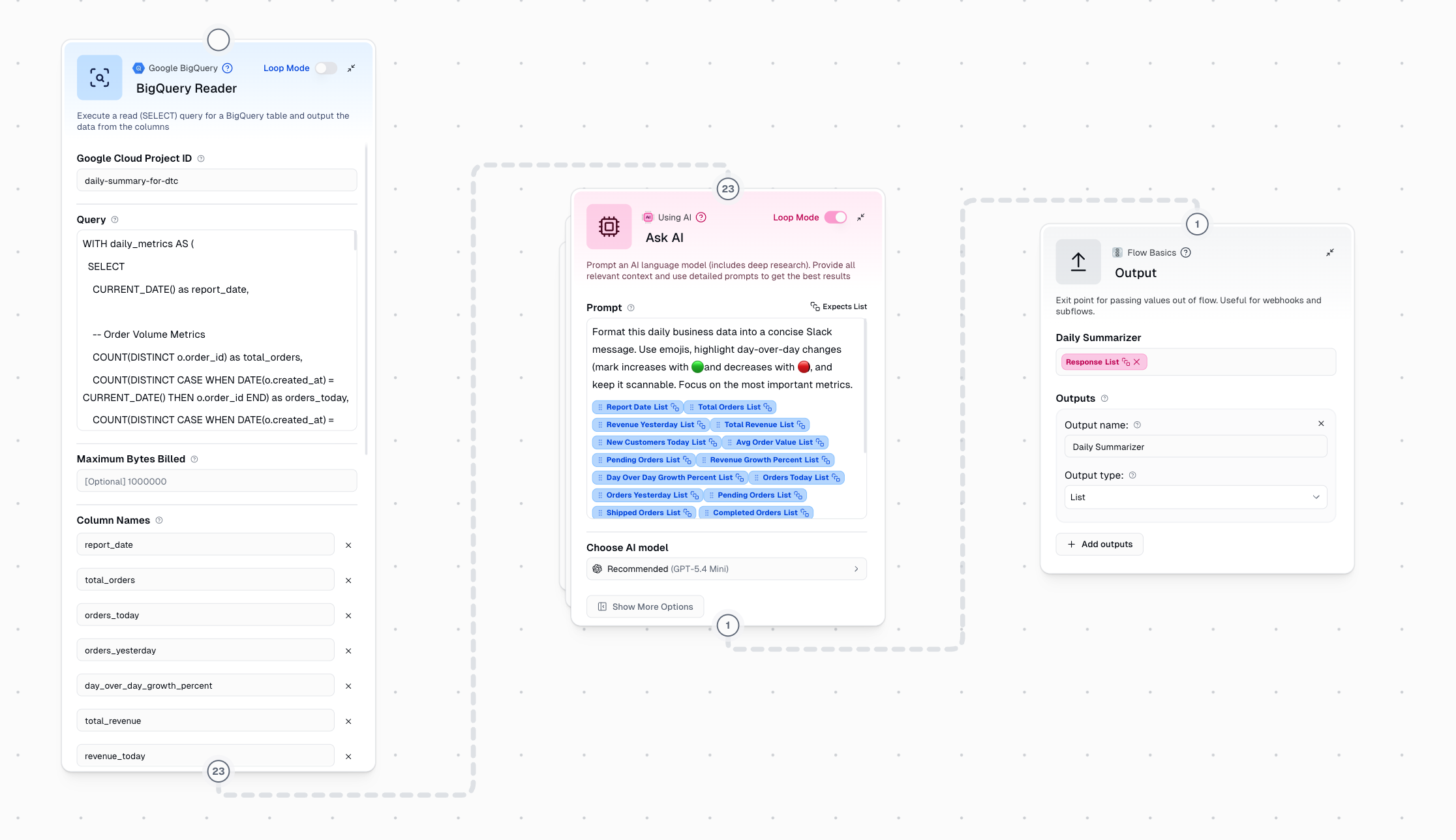
You can see that I specified the exact query that I wanted in the node. This approach works well for fixed processes where you want the exact same data every time. If however, you wanted to ‘talk with your data’, the the Google BigQuery guMCP Server is definitely a better approach. It would have access to more tools and decide when and how to query your data.
Transcripts:
This part of the workflow was harder for me than I anticipated. I got a V1 of this part working, but it wasn’t a well thought out system. The biggest problem was that I had separate subflows for both writing to a master transcript, and then summarizing that master transcript. I posted a quick recap of what I had at the time here on twitter.
I built a lightweight MVP of this over the break using @gumloop 🇨🇦🫡. pic.twitter.com/zJGRF8Eyld
— Nick Lawson (@nicklawson85) January 6, 2026
My thinking was that every time a call transcript was added to a call transcripts folder the workflow would read it and then write it to a ‘master transcript’. Then the transcript summarizer subflow would run everything through AI to synthesize and get insights.
But after some great feedback from the team at Gumloop, I realized I was overthinking this.
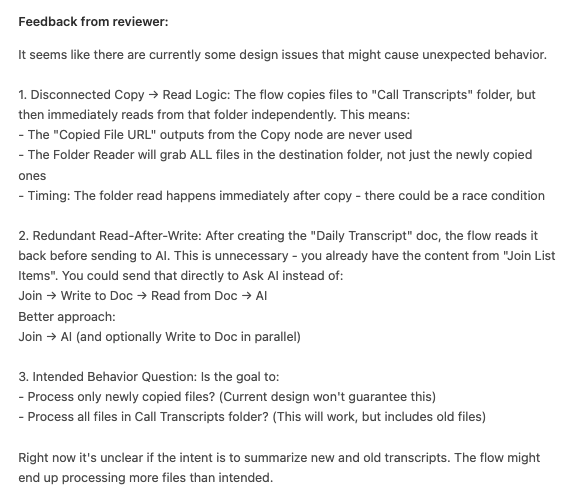
What I actually needed was to combine syncing, writing, and summarizing into a single subflow. This new system would simply:
- Run on a scheduled timer each day
- Copy all the raw transcript files from their source drive folder (e.g. Meet recordings) to a separate drive folder for processing
- Run AI against the Ask AI step
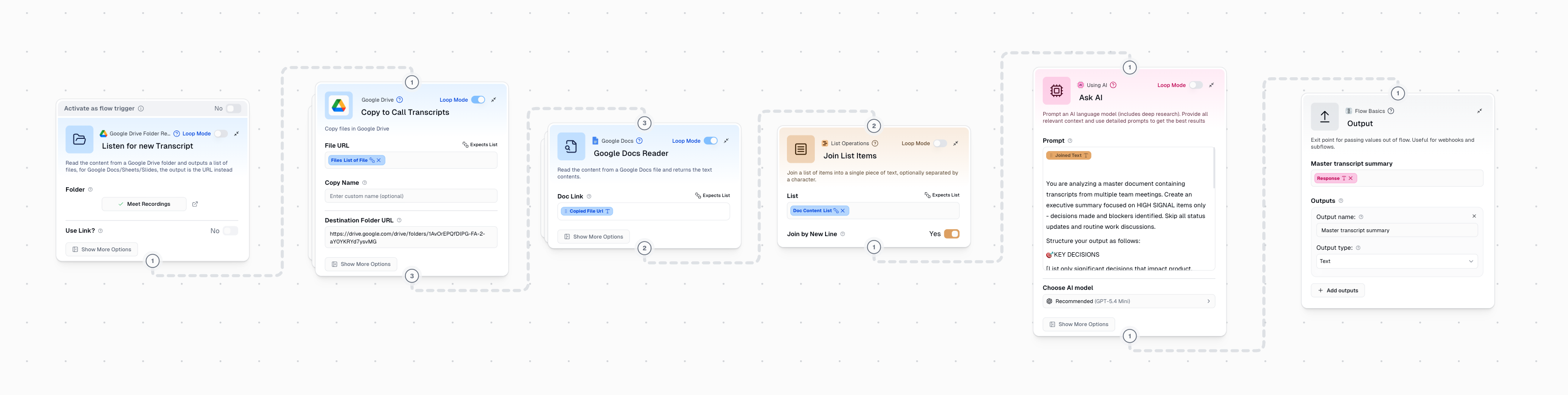
Much simpler and more reliable. But this also introduced a new problem, how would I ensure that only new transcripts were processed each day? In order to solve this I created 2 custom nodes to fire after the slack message is sent. They move all the files in each folder to an archive folder so the analysis is always on fresh transcripts and all files are backed up.
I had a lot of fun building this. My biggest takeaway was to not try and boil the ocean. Breaking down the workflow into smaller steps, and making sure each one of those steps reliably works, makes for better workslow. The full workflow is posted as a Gumloop Community Template here if you want to check it out :)